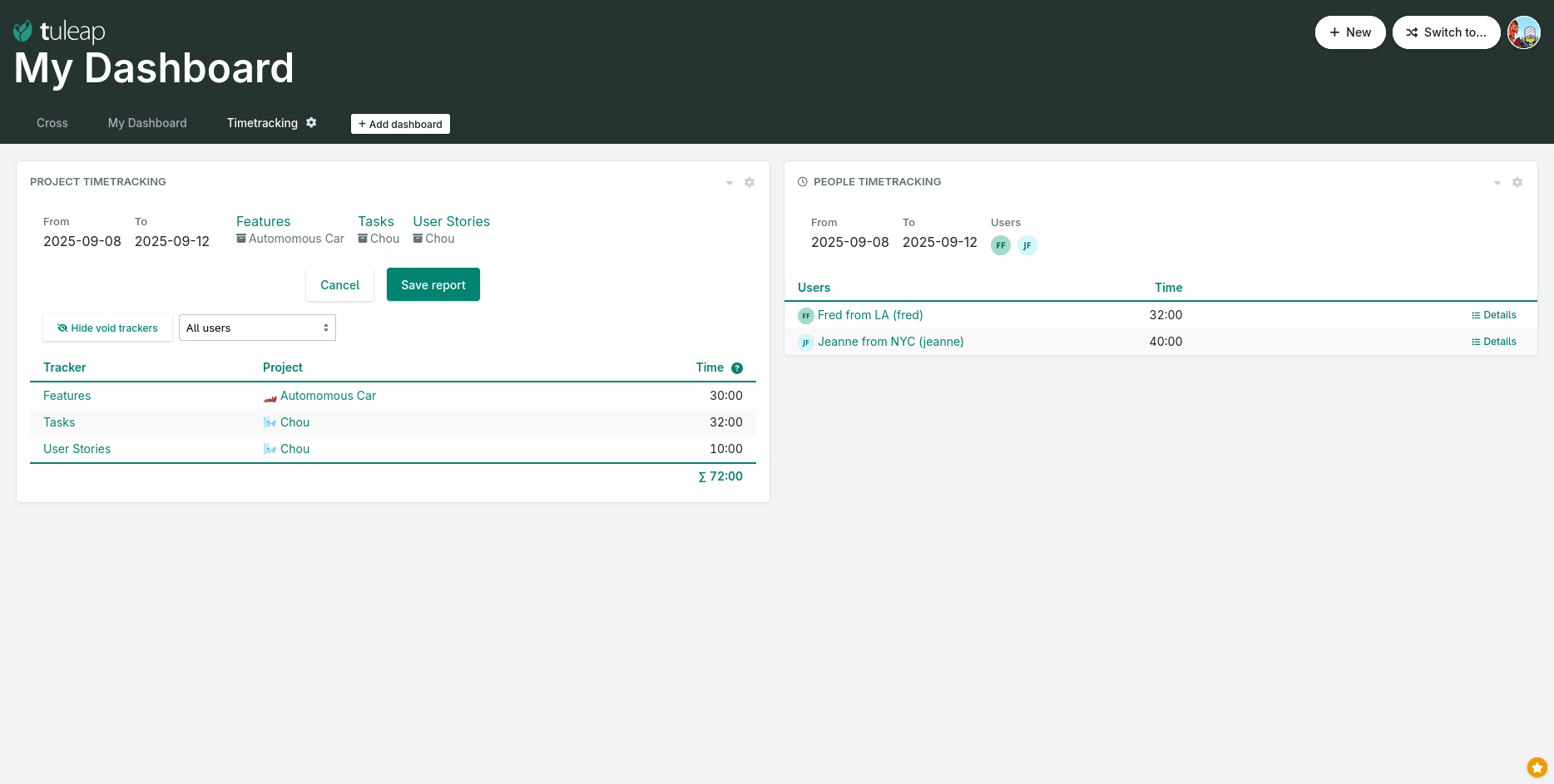
This release introduces a new widget for personal dashboards meant for project managers that need to have a consolidated view on how time is tracked across projects by their team members.
You can now combine “Project timetracking” (on the left in the screenshot below) to see how time was tracked across projects over a given period. And on the right hand side, you have “People timetracking” where you can see who tracked time.
Personal dashboard with timetracking widgets
In this example, the project manager can verify that the time recorded by individuals and the project’s recorded time are consistent. Fred and Jeanne have worked the expected amount of time, they worked on the expected projects and nobody else worked on those projects.
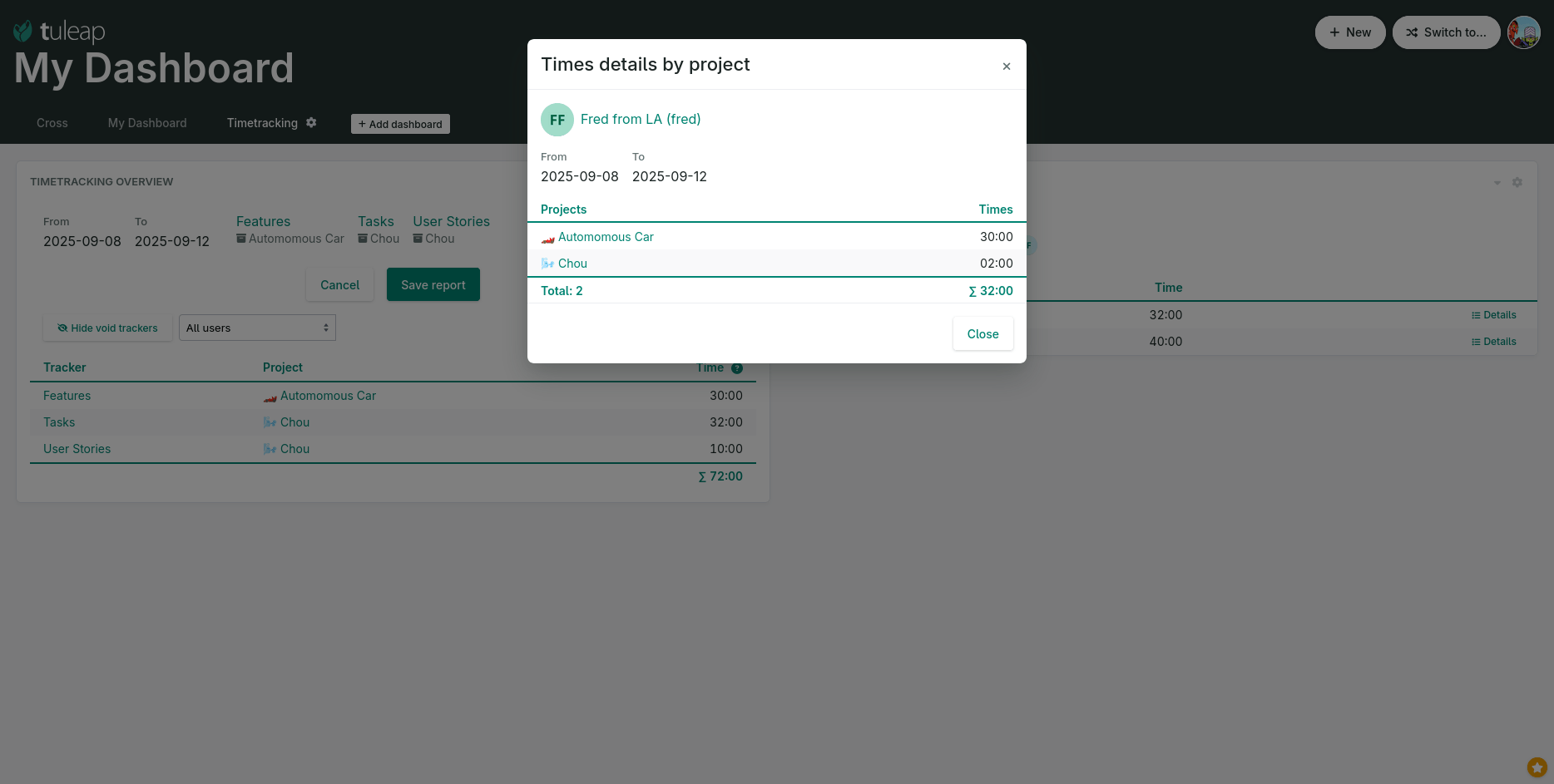
To facilitate drill-down analysis, the “People Timetracking” Details button provides a breakdown of time spent per project.
Time details per projects
Cross-Tracker Search and artifact links fine tuning
Based on feedback from the trenches, we fixed several issues related to the display of artifact links in Cross-Tracker Search. We also achieved additional performance improvements. Combined, these changes have reduced average query execution time by 65% over the past two releases. See “Bugs and requests” below for the details.
Bugs and requests
During the 16.13 release cycle, 55 requests were implemented. Bugs and security fixes have already been backported to Tuleap Enterprise builds. You will find below a detailed list of fixes. The most notable ones are in bold.
Tracker
#44833Transition rule permissions should apply to project administrators
#44826Move artifact should ignore permissions when moving
#43694 Create an artifact from dashboard should redirect user on dashboard
#44866 Artifact timeframe helper shouldn’t be displayed when start date field is empty
#44880 REST: Code 400 instead of 500 for tracker rules errors
#44841 REST: Missing `last_update_by` and `submitted_by` in `/api/tracker_reports/{id}/artifacts`
#44493 REST: POST|PUT /api/artifact_temporary_files can crash if the content is not properly encoded
Cross-Tracker Search
#44874 @pretty_title should trigger the artifact tooltip
Un Tracker est un outil de suivi d'un type d'information qui permet de créer, gérer et suivre un ensemble d'artifacts partageant une même nature.
Dans l'écosystème Tuleap, un artifact est l'unité de base pour suivre le travail. C'est un élément géré dans un "tracker", et englobe tout ce que vous pourriez traditionnellement appeler un "ticket", une "tâche", un "bug", une "exigence", etc.